
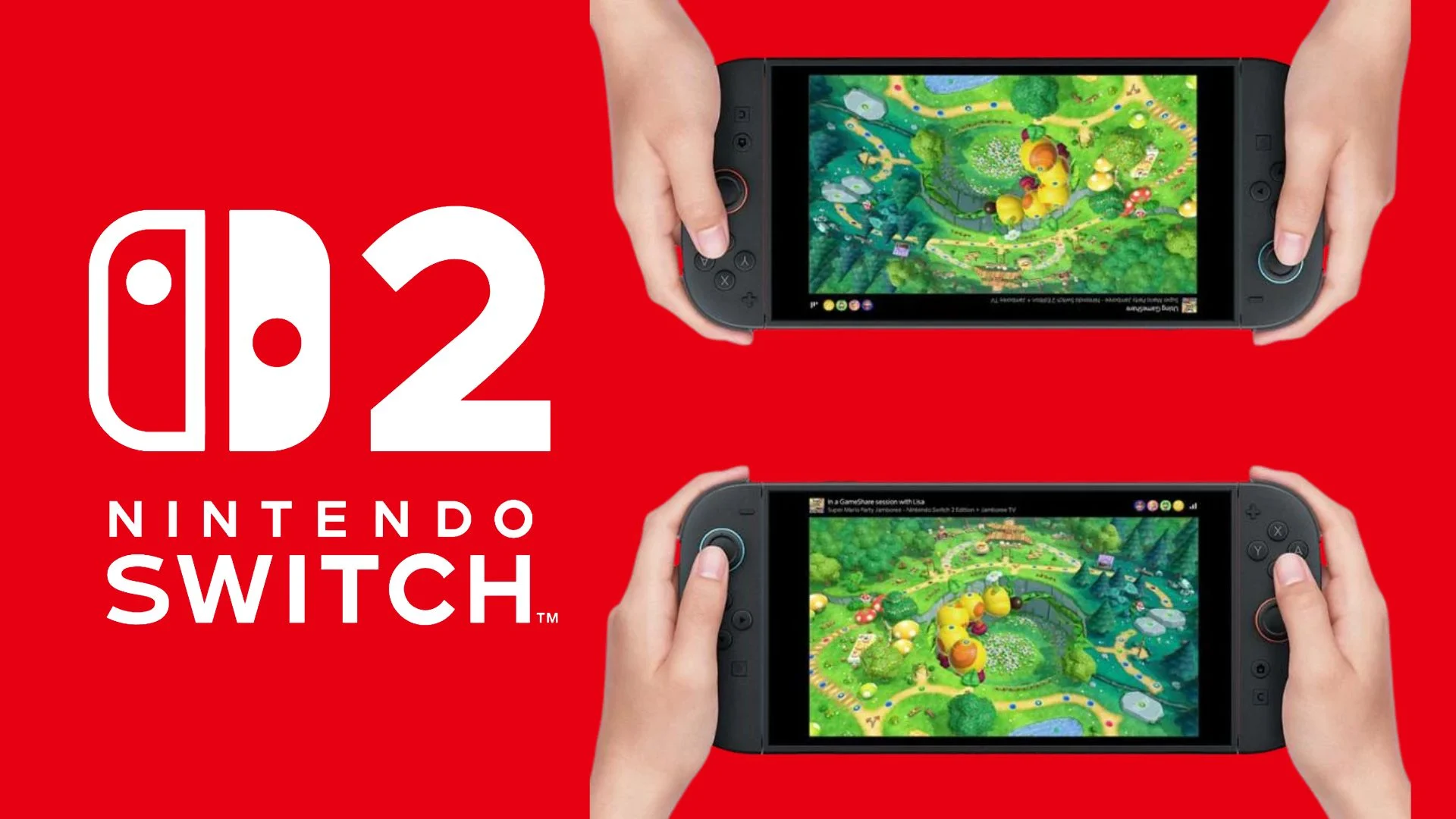

Nintendo Switch 2 GameShare lets one Nintendo Switch 2 owner stream a compatible game to other systems so the group can play together without every guest buying a copy. Locally, an original Nintendo Switch can receive the shared game; online, every participant needs a Nintendo Switch 2 and GameChat.
This guide explains the complete setup, membership requirements, compatibility rules, restrictions, troubleshooting steps, and the supported games verified through Nintendo’s US catalog on November 18, 2026. Nintendo can add or relabel games at any time, so the dated table below should be treated as a current snapshot.
What is Nintendo Switch 2 GameShare?
GameShare is Nintendo’s one-copy multiplayer feature for selected games. A Nintendo Switch 2 that owns or can launch a compatible title acts as the host. Guest systems receive a streamed version of the supported multiplayer experience for the duration of the session instead of downloading a permanent copy.
According to Nintendo’s official GameShare overview, the stream starts immediately and does not require the software to be transferred first. The developer decides which modes are available, how many people can participate, and whether the game works locally, through GameChat, or both.
- Only Nintendo Switch 2 can host.
- Nintendo Switch 2 and Nintendo Switch family systems can join locally.
- Online GameShare works through GameChat and requires Nintendo Switch 2 for every participant.
- Only games and modes specifically marked for GameShare are supported.
- Guests can play only while the host’s session remains active.
Local GameShare vs online GameShare through GameChat
| Requirement | Local GameShare | GameShare through GameChat |
|---|---|---|
| Host system | Nintendo Switch 2 | Nintendo Switch 2 |
| Guest systems | Nintendo Switch 2, Nintendo Switch, Nintendo Switch – OLED Model, or Nintendo Switch Lite | Nintendo Switch 2 only |
| Connection | Nearby local wireless | Persistent internet connection and GameChat |
| Nintendo Switch Online | Not required for the GameShare connection | Required for every participant |
| Nintendo Account | Not required solely to join locally | Required |
| Distance | Systems must be physically near one another | Players can be in different locations |
| Maximum systems | Up to four, subject to the game’s lower limit | Up to four, subject to the game’s lower limit |
GameChat itself can hold more people than a GameShare game session. That does not increase the number of players supported by the game. The title’s own multiplayer rules always take priority.
How to set up GameShare
Before you start
- Confirm that the host is using a Nintendo Switch 2.
- Check that the game is listed as supporting local GameShare, GameShare over GameChat, or both.
- Install the latest system update on every console: open System Settings, select System, and then choose System Update.
- Update the host’s game by highlighting it on the HOME Menu, pressing the + or – Button, and selecting Software Update followed by Via the Internet.
- Make sure each player has a compatible controller for the mode being used.
If the Nintendo Switch 2 is newly set up, our Nintendo Switch to Switch 2 system transfer guide explains how users, saves, purchases, screenshots, and settings move to the new console.
How to host and join GameShare locally
The host begins inside the game, and the exact menu wording varies by title. Nintendo recommends checking the game-specific multiplayer instructions if the option is difficult to find.
- On the host Nintendo Switch 2, launch the compatible game.
- Open its multiplayer or GameShare menu and choose the local or nearby-player option.
- On each guest system, select the GameShare icon on the HOME Menu.
- Select Join GameShare.
- Select A Local User.
- Choose the host user. When the nearby session appears, select Join GameShare.
- After every guest has connected, the host starts the session from the game.
How to host and join GameShare online through GameChat
Online sharing requires GameChat. Every player must use Nintendo Switch 2, have an active Nintendo Switch Online membership, register a phone number to the Nintendo Account used for GameChat, and approve the friends they want to chat with. Supervised users and players under 16 also need the required parent or guardian permissions in the Nintendo Switch Parental Controls app.
- Start or join a GameChat room with the people who will play.
- On the host system, launch the compatible game.
- Open the game’s GameShare or multiplayer menu and select its GameChat option.
- Choose the players in the GameChat room to invite.
- On a guest system, press the C Button to open the C Menu, select See Invites to GameShare, and then choose Join GameShare.
- Guests can also open GameShare from the HOME Menu and select A User in a GameChat Session.
- After the invited players connect, the host starts the session.
A controller without a C Button can still access GameChat and GameShare invitations through the HOME Menu.
Nintendo Switch and Nintendo Switch 2 compatibility
The compatibility rule is asymmetric: Nintendo Switch 2 can send and receive a shared game, while the original Nintendo Switch family can only receive a local session. A Nintendo Switch, Nintendo Switch – OLED Model, or Nintendo Switch Lite cannot host GameShare and cannot join online through GameChat.
Nintendo also confirms that a Nintendo Switch 2-exclusive game can be streamed locally to an original Nintendo Switch when that specific software supports it. The receiving system does not become compatible with the full Switch 2 game; it receives only the GameShare experience designed by the developer. Some titles may exclude original Switch guests because of required accessories, controls, or hardware features.
Does GameShare require Nintendo Switch Online?
Local GameShare does not require Nintendo Switch Online just to connect nearby systems. Online GameShare does because it runs through GameChat. The GameChat open-access period ended on March 31, 2026, so an active Nintendo Switch Online membership is now required for every person joining through GameChat.
Online participants also need a Nintendo Account and a stable internet connection. A camera is optional: the Nintendo Switch 2’s built-in microphone handles voice chat, while video requires a compatible USB camera.
Nintendo Switch 2 GameShare supported games
Nintendo’s US game catalog provides separate filters for GameShare with local users and GameShare over GameChat. The table below combines those filters as verified on November 18, 2026. It excludes three free Friend’s Pass applications and one duplicate bundle so that the list remains focused on full games and game editions.
A “Yes” means Nintendo currently returns that product under the corresponding US catalog filter. The exact modes, player limits, progression requirements, and controls can still differ by game. Check the product page and the title’s in-game GameShare menu before planning a session.
| Game or edition | Local GameShare | GameChat GameShare |
|---|---|---|
| 4PGP – Nintendo Switch 2 Edition | Yes | Yes |
| Absolum – Nintendo Switch™ 2 Edition | Yes | No |
| Atelier Yumia: The Alchemist of Memories & the Envisioned Land – Nintendo Switch 2 Edition | Yes | No |
| BANG! BANG! BANDITS Nintendo Switch 2 Edition | Yes | Yes |
| Beyond the Dark: Nightwatch | Yes | No |
| Big Brain Academy™: Brain vs. Brain | Yes | Yes |
| Blazblue Entropy Effect X – Nintendo Switch 2 Edition | Yes | No |
| Brotato – Nintendo Switch™ 2 Edition | Yes | No |
| Captain Toad™: Treasure Tracker | Yes | Yes |
| CARD&CASINO | Yes | Yes |
| Cast n Chill – Nintendo Switch™ 2 Edition | Yes | Yes |
| Chillin’ by the Fire | Yes | Yes |
| Chippy&Noppo – Nintendo Switch 2 Edition | Yes | Yes |
| Chit Chat Party! | Yes | Yes |
| Clubhouse Games™: 51 Worldwide Classics | Yes | Yes |
| Culdcept BEGINS Nintendo Switch 2 Edition | Yes | Yes |
| Cult of the Lamb – Nintendo Switch 2 Edition | Yes | No |
| DOKAPON! Sword of Fury | Yes | Yes |
| Donkey Kong Country™ Returns HD | Yes | No |
| Donkey Kong™ Bananza | Yes | Yes |
| EA SPORTS FC™ 26 | Yes | Yes |
| EA SPORTS FC™ 27 | Yes | Yes |
| eFootball™ Kick-Off! | Yes | No |
| Exit Lab ~15 Rooms~ | No | Yes |
| Fast Fusion | Yes | Yes |
| Fitness Boxing 3: Your Personal Trainer – Nintendo Switch™ 2 Edition | Yes | No |
| Fruit Mountain Party – Nintendo Switch 2 Edition | Yes | Yes |
| Goat Simulator 3 | Yes | Yes |
| Hasbro Games™ Junior Collection | Yes | No |
| Heave Ho 2 | Yes | Yes |
| hololive Treasure Mountain MegaPack – Nintendo Switch 2 Edition | Yes | Yes |
| Human Fall Flat – Nintendo Switch 2 Edition | Yes | Yes |
| Hyrule Warriors: Age of Imprisonment | Yes | Yes |
| It Takes Two | Yes | No |
| Kirby™ Air Riders | Yes | Yes |
| Lynked: Banner of the Spark – Nintendo Switch™ 2 Edition | No | Yes |
| Mario Tennis™ Fever | Yes | Yes |
| MARVEL Cosmic Invasion | Yes | No |
| Mortal Kombat: Legacy Kollection | Yes | No |
| MY HERO ACADEMIA: All’s Justice | No | Yes |
| NAMCO LEGENDARY Mountains | Yes | Yes |
| NBA 2K26 | Yes | No |
| NBA 2K27 | Yes | Yes |
| Nicktoons & The Dice of Destiny | Yes | Yes |
| OBAKEIDORO 2: Chase & Seek | Yes | Yes |
| Orbitals | Yes | Yes |
| Overcooked! 2 – Nintendo Switch 2 Edition | Yes | Yes |
| PAW Patrol™: Dino World (Nintendo Switch 2) | Yes | No |
| PAW Patrol™: Dino World (Nintendo Switch) | Yes | No |
| Pikmin™ 3 Deluxe | Yes | Yes |
| Pikmin™ 4 – Nintendo Switch™ 2 Edition + Dandori Academy | Yes | Yes |
| Plants vs. Zombies™: Replanted | Yes | Yes |
| Pokémon™ Pokopia | Yes | Yes |
| Puyo Puyo™ Tetris® 2S | Yes | Yes |
| REANIMAL | Yes | Yes |
| Rotwood | Yes | Yes |
| Rudolph the Red-Nosed Reindeer – Holiday Play Edition | Yes | No |
| RUSHING BEAT X: Return Of Brawl Brothers | Yes | Yes |
| Scott Pilgrim EX | Yes | Yes |
| Sea of Stars | Yes | Yes |
| Shrek 2 Remastered | Yes | No |
| SONIC PICO PARK | Yes | Yes |
| Split Fiction | Yes | No |
| Spooky Spirit Shooting Gallery for Nintendo Switch 2 | Yes | Yes |
| Star Fox™ | Yes | Yes |
| Stardew Valley: Nintendo Switch 2 Edition | Yes | Yes |
| Suika Game Planet | Yes | No |
| SUPER BOMBERMAN COLLECTION – Nintendo Switch 2 Edition | Yes | Yes |
| Super Mario Bros.™ Wonder – Nintendo Switch™ 2 Edition + Meetup in Bellabel Park | Yes | Yes |
| Super Mario Odyssey™ | Yes | Yes |
| Super Mario Party™ Jamboree – Nintendo Switch™ 2 Edition + Jamboree TV | Yes | Yes |
| Super Mario™ 3D World + Bowser’s Fury | Yes | Yes |
| Survival Kids | Yes | No |
| Teenage Mutant Ninja Turtles Arcade: Wrath of The Mutants – Ninja Edition | No | Yes |
| Teenage Mutant Ninja Turtles: Splintered Fate – Nintendo Switch 2 Edition | Yes | Yes |
| The Prince of Tennis Doki Doki Survival ~eternal passion! Tie break ♡ game~ Nintendo Switch 2 Edition | Yes | Yes |
| The Prince of Tennis Sweet School Festival ~♡-40 and more…~ Nintendo Switch 2 Edition | Yes | Yes |
| TOKYO SCRAMBLE | Yes | Yes |
| Unrailed 2: Back on Track – Nintendo Switch™ 2 Edition | Yes | Yes |
| Viractal: Will You Trust Your Party? Nintendo Switch 2 Edition | Yes | Yes |
| Wobbly Life – Nintendo Switch™ 2 Edition | Yes | Yes |
| WWE 2K25 Standard Edition | Yes | Yes |
| WWE 2K26 Standard Edition | Yes | Yes |
Nintendo’s shorter GameShare feature page highlights only a selection of compatible games, not the complete catalog. For a title-specific example, our Pikmin 4 – Nintendo Switch 2 Edition guide covers its Dandori Battle GameShare support.
GameShare limitations and restrictions
- GameShare is not universal. A game must explicitly support the feature, and local and online support are separate.
- The host must use Nintendo Switch 2. An original Nintendo Switch cannot start a session.
- Guests do not receive ownership. The shared game stops working when the session ends, although its icon can remain on the HOME Menu and link to Nintendo eShop.
- Available content can be reduced. Developers may expose only selected modes, stages, rules, or characters through GameShare.
- Player limits vary. Nintendo’s system-level ceiling is up to four participating consoles, but many games allow fewer.
- Streaming affects presentation. Nintendo says transferred image quality is reduced, and online sessions can experience delay depending on the network and distance.
- Save behavior depends on the game. Some titles create guest save data that can later work with the full game; others do not.
- Capture support varies. Screenshots and videos depend on the title. An original Nintendo Switch cannot capture video while receiving a GameShare game.
- Parental controls still apply. A guest system’s restricted-software age setting is honored.
- Extra hardware may still be required. Each player needs the controllers or accessories demanded by the selected mode.
GameShare vs Virtual Game Cards
GameShare and Virtual Game Cards both let another console access software, but they solve different problems.
| Feature | GameShare | Virtual Game Cards |
|---|---|---|
| Main purpose | Play a supported multiplayer experience together using one copy | Move or lend a digital game or DLC license |
| Host requirement | Nintendo Switch 2 must start the session | The owner manages the digital purchase from a compatible Nintendo account and console |
| Who can receive | Nearby Nintendo Switch 2 or Nintendo Switch systems; Switch 2 only online | The owner’s linked systems or eligible Nintendo Account family-group members |
| Can both people play the same lent copy? | Yes, during the supported GameShare multiplayer session | No; the owner cannot use the lent virtual game card until it is returned |
| How long access lasts | Only while the GameShare session is active | Until moved back, returned early, or automatically returned after 14 days when lent |
| Internet | Not needed for local sharing; required for GameChat | Needed for setup and lending, but a loaded virtual game card can generally be played offline |
| Game support | Only titles with GameShare support | Compatible digital purchases and DLC |
Use GameShare when the goal is to play together now. Use a Virtual Game Card when someone in your Nintendo Account family group needs independent temporary access to an eligible digital game.
Nintendo Switch 2 GameShare troubleshooting
If a local session does not appear or disconnects
- Restart every system by holding the POWER Button for at least three seconds and choosing Power Options and then Restart.
- Confirm that the host is on Nintendo Switch 2 and the selected game and mode support local GameShare.
- Update every console and the host game.
- Place the systems about two to three meters apart.
- Move metal, glass, and electronic objects away from the space between the consoles.
- Temporarily pause nearby Wi-Fi or Bluetooth devices that may be causing interference.
If GameShare through GameChat is slow or ends
- Check Nintendo’s network status page for maintenance or outages.
- Restart the Nintendo Switch 2 and the network equipment.
- Test both download and upload performance. NAT type can affect connections between GameChat participants.
- Use a wired connection in TV mode when possible.
- Turn off the camera and hide other players’ shared screens to reduce bandwidth use.
- Try a GameChat layout that gives the shared gameplay a smaller display area if the connection remains unstable.
- Ask every participant to test their own connection because the host and guests can each be the source of instability.
Nintendo’s GameShare troubleshooting page provides the current official recovery steps. If one console repeatedly ends otherwise stable sessions, Nintendo recommends arranging service for that system.
Nintendo Switch 2 GameShare FAQ
Can Nintendo Switch host GameShare?
No. Only Nintendo Switch 2 can host. Nintendo Switch, Nintendo Switch – OLED Model, and Nintendo Switch Lite can receive compatible sessions locally.
Do all players need Nintendo Switch Online?
Not for local GameShare. Every participant using online GameShare through GameChat needs an active Nintendo Switch Online membership.
Can Nintendo Switch join a Switch 2-exclusive GameShare title?
Yes, locally, when that specific game supports original Nintendo Switch guests. It cannot join the same session online because GameChat is exclusive to Nintendo Switch 2.
How many systems can use GameShare at once?
Nintendo allows up to four systems in a GameShare session, including the host, but each game can set a lower player or console limit.
Does a guest keep the shared game?
No. The guest can play only during the active session. The software icon may remain afterward as a shortcut to information or the Nintendo eShop, but the shared game is no longer playable.
Does GameShare create save data?
It can, but the behavior depends on the game. Nintendo says some guest systems may create save data that can be used with the full software.
Is GameShare the same as GameChat screen sharing?
No. Screen sharing lets people watch another player’s display. GameShare sends a supported playable experience to guest systems so they can participate.
Can physical and digital games use GameShare?
GameShare support is determined by the software, not simply by whether the host owns a physical or digital copy. If the installed version and selected mode support GameShare, the host can start it.
Official Nintendo GameShare sources
- Nintendo Switch 2 GameShare feature overview
- GameShare overview and FAQ
- How to play together through GameShare
- GameChat guide and requirements
- Virtual Game Card guide
- GameShare troubleshooting
Which GameShare-supported game would you most like to play with someone who does not own a copy?
Comments
No comments yet. Be the first to share your thoughts.