
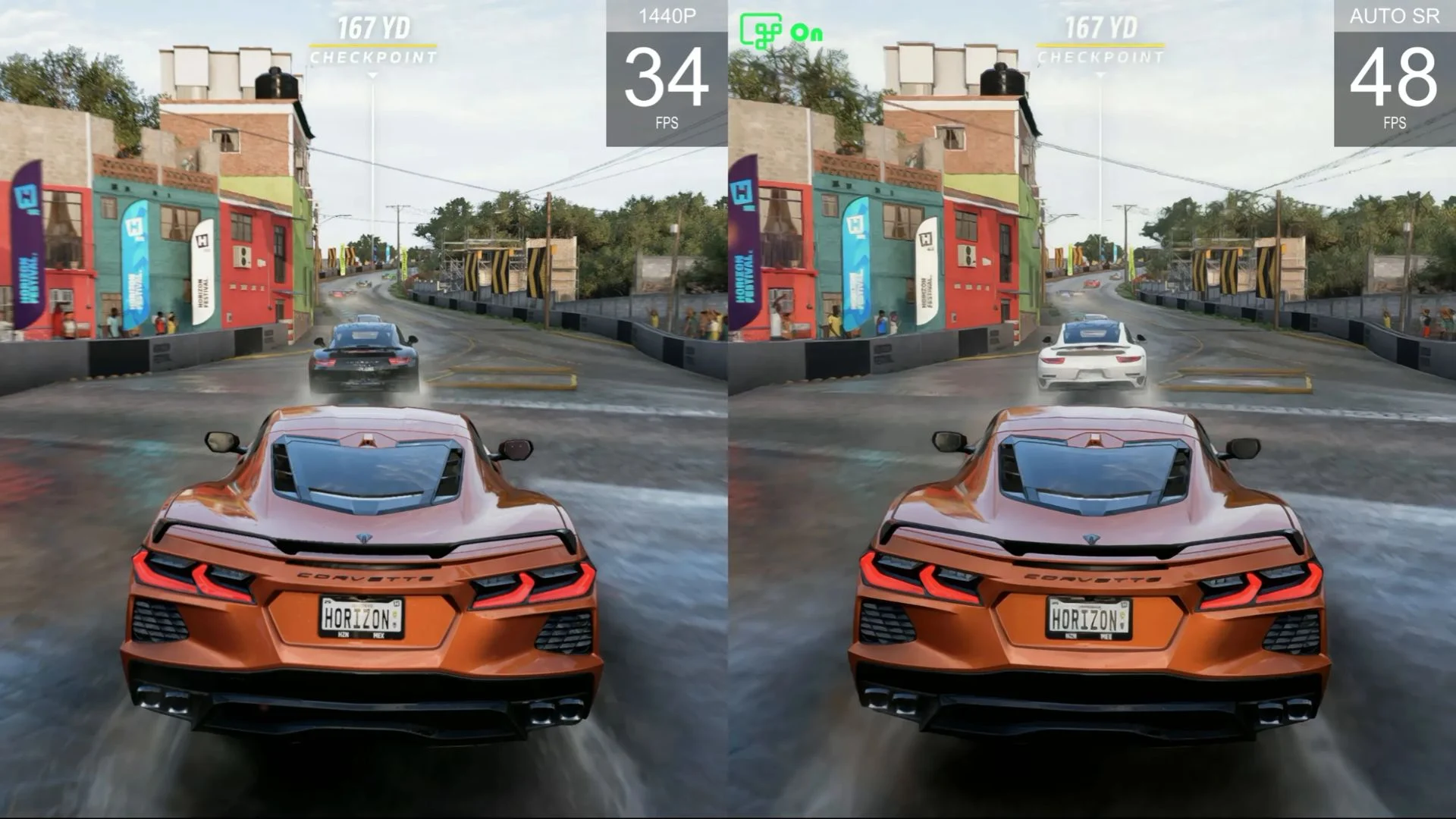

Microsoft has moved Automatic Super Resolution out of preview on the ROG Xbox Ally X and ROG Xbox Ally X20, while expanding the Windows feature to select Copilot+ PCs powered by AMD Ryzen AI processors. The release adds battery-powered handheld use, support for games running at 1080p and a new Performance Mode designed to support frame rates up to 120 FPS.
Not every feature is arriving at exactly the same time. Microsoft says handheld use, wider AMD Ryzen Copilot+ PC support and 1080p input support are available now. Performance Mode and compatibility with Auto HDR are rolling out through Windows updates and may take longer to reach individual devices.
The details come from Microsoft’s DirectX Developer Blog announcement and its updated Auto SR support documentation.
What Auto SR does
Auto SR is a Windows-level AI upscaling system. A supported game renders at a lower resolution, reducing the GPU workload, and the device’s neural processing unit then reconstructs the image at a higher effective resolution. The goal is to improve frame rate while retaining more visual detail than a simple low-resolution output.
Because the feature is integrated into Windows, a developer does not need to add Auto SR support directly to every game. Microsoft lists DirectX 10 or newer games running natively on x64, through x64 emulation or on Arm64 as compatible software targets.
On eligible AMD Ryzen Copilot+ PCs, Microsoft recommends input resolutions from 1280×720 up to 1920×1080. A game running at 1080p can now trigger Auto SR, removing the preview requirement to lower the resolution first. When the device is connected to a higher-resolution display, Auto SR can upscale the output as high as 1440p.
Microsoft cautions that using a 1080p input resolution on a handheld’s internal screen may not deliver the best performance. The company says visual-quality gains can still be noticeable, particularly in older games.
Performance Mode raises the ceiling, not every game
Quality Mode previously operated with a practical ceiling of roughly 60 to 75 FPS. The new Performance Mode increases the supported limit to as much as 120 FPS, but that number is a capability ceiling rather than a guarantee for every title, device or graphics setting.
Microsoft’s own example uses Rocket League on a ROG Xbox Ally X at 720p with high in-game settings. Quality Mode averaged 70 FPS, while Performance Mode averaged 115 FPS in the demonstrated scene. Players can switch between Quality and Performance in Game Bar while a game is running.
Auto SR now also works on the handheld’s internal display while undocked and running on battery. During the Xbox Insider preview, ROG Xbox Ally X users had to connect the device to an external display.
Auto HDR compatibility is part of the same update. On a compatible HDR display, Windows can apply Auto HDR to games without native HDR while Auto SR handles upscaling. Microsoft notes that Auto SR still does not support a game’s native HDR output.
Hardware and software requirements
For the AMD rollout, users need a Copilot+ PC with an AMD Ryzen AI processor, including the ROG Xbox Ally X or X20. Microsoft also requires Windows 11 version 24H2 or later, a 1080p-or-higher display, current graphics and neural processor drivers, and the latest Auto Super Resolution Package from the Microsoft Store.
To get started, Microsoft recommends updating Windows and Game Bar, installing or updating the Auto SR package, then opening Game Bar and navigating to Widgets, Display and Graphics. Auto SR is opt-in, and users can configure it globally or on a per-game basis.
Which Auto SR addition would make the biggest difference for your setup: handheld battery use, 1080p support or Performance Mode?
Comments
No comments yet. Be the first to share your thoughts.