
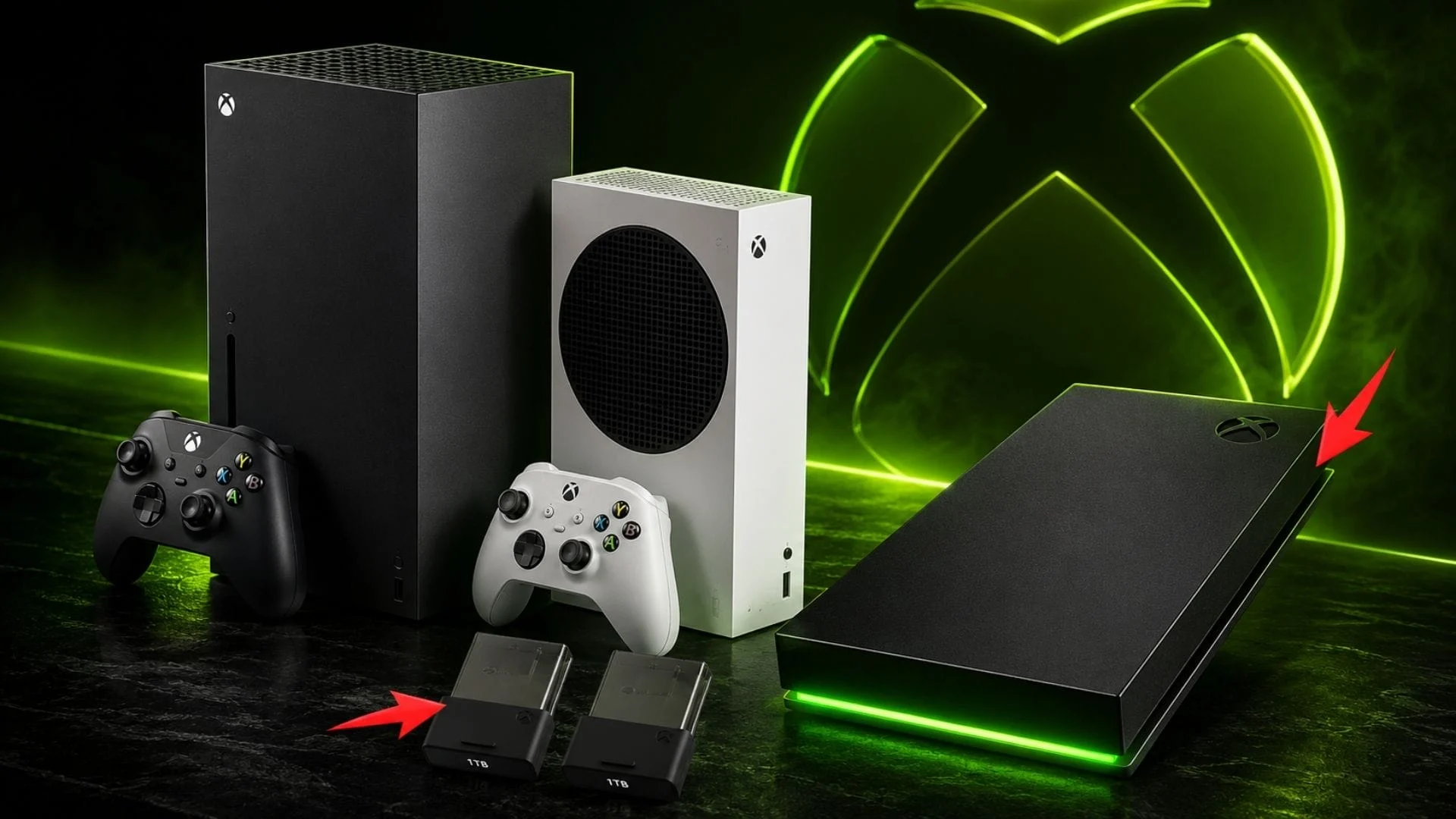

If you want extra space that can run Optimized for Xbox Series X|S games without moving them first, choose a licensed Storage Expansion Card. If you mainly want inexpensive bulk storage, a place to park games instead of downloading them again, or a drive for backward-compatible titles, an external USB drive makes more sense. A USB SSD is faster than a USB hard drive, but it does not change which current-generation games can launch from USB.
That is the central Xbox Series X storage expansion decision: an Expansion Card extends the console’s high-speed playable storage, while a USB drive is best treated as a lower-cost library and transfer drive.
Xbox Expansion Card vs. external USB drive at a glance
| Storage type | Runs Optimized for Xbox Series X|S games | Runs backward-compatible Xbox games | Best use |
|---|---|---|---|
| Internal custom SSD | Yes | Yes | Your active games and fastest, simplest experience |
| Licensed Storage Expansion Card | Yes | Yes | More ready-to-play space with internal-storage-class performance |
| External USB SSD | No; store and move them instead | Yes | Faster transfers and a responsive backward-compatible library |
| External USB HDD | No; store and move them instead | Yes | Lowest-cost bulk storage for a large archive |
Xbox’s official storage compatibility table makes the distinction explicit: USB HDDs and SSDs can store any Xbox game and play Xbox One, Xbox 360, and original Xbox titles, but Optimized for Xbox Series X|S games must run from the internal SSD or a Storage Expansion Card.
Can Xbox Series X|S games be played from a USB drive?
Optimized for Xbox Series X|S games generally cannot be played directly from an external USB SSD or HDD. You can store them there, but the console will prompt you to move a game to the internal SSD or a compatible Storage Expansion Card before launching it.
The word SSD causes much of the confusion. An external USB SSD uses faster flash storage than a mechanical hard drive, but it still connects through USB and does not become part of the Xbox Velocity Architecture. The drive’s speed can improve transfers and loading for games that are allowed to run from USB; it cannot bypass a game’s storage requirement.
Backward-compatible Xbox One, Xbox 360, and original Xbox games are different. Xbox says those titles can run directly from compatible USB storage. If you are unsure about one game, trust the console’s move prompt and the game’s storage details rather than assuming every title with similar branding follows the same rule.
What a Storage Expansion Card actually adds
A licensed Storage Expansion Card is the only plug-in option that behaves like an extension of the console’s internal playable storage. It fits into the dedicated expansion slot on the back of either Xbox Series X or Xbox Series S and can launch Optimized for Xbox Series X|S games directly.
Microsoft says the card was designed around Xbox Velocity Architecture to provide the same consistent, sustained gameplay performance as the internal custom NVMe SSD. That includes support for current-generation game data requirements and the ability to move, copy, install, or play games without treating the card as a temporary archive.
Do not confuse a USB product carrying Xbox branding with an Expansion Card. An external “Game Drive” may be licensed or styled for Xbox and still follow normal USB limitations. For current-generation games, look for a Storage Expansion Card explicitly licensed for Xbox Series X|S and made for the console’s dedicated expansion port.
Why Xbox Storage Expansion Cards cost more
Expansion Cards cost more because they are not ordinary external USB drives. They use higher-performance components and a custom interface engineered to meet the console’s sustained storage requirements, so games can rely on the same data-delivery behavior they receive from internal storage.
That premium buys convenience and compatibility, not merely capacity. You are paying to keep more Optimized for Xbox Series X|S games installed and immediately playable. If you are comfortable moving games before playing them, a less expensive USB drive can solve the space problem without providing the same experience.
Prices change frequently, so compare current cost per terabyte rather than relying on an old launch price. Also check Xbox’s current official accessories catalog before buying. Capacity choices have expanded over time, and 2TB is no longer the absolute ceiling: the US catalog currently includes licensed options up to 4TB.
When an external USB drive makes more sense
Choose USB storage when capacity per dollar matters more than having every current-generation game ready to launch. It is especially useful for keeping a large archive, preserving downloaded games on a slow or capped internet connection, and running backward-compatible titles without consuming the internal SSD.
An Optimized for Xbox Series X|S game stored on USB is not wasted space. It can be moved back to internal storage or an Expansion Card when you want to play, which is often preferable to deleting and downloading the entire game again. Open My games & apps, use the game’s management options or the console’s storage-device screen, and choose Move or copy. Menu wording can shift with system updates, so Xbox’s Manage storage support page is the best place to check the latest path.
Transfer time depends on the drive, connection, game size, and what the console is doing. A local move can still be far more practical than a fresh download, but it is not instant. Keep the games you play this week on fast playable storage and use USB for the rest.
External USB SSD vs. external HDD
Both USB SSDs and USB HDDs follow the same Xbox game-compatibility rules. Choose between them based on speed, capacity, noise, and budget—not because one can unlock Optimized for Xbox Series X|S games.
- Pick a USB SSD if you move large games often, want shorter transfers, or regularly play backward-compatible games from the external drive. SSDs are faster and have no moving parts, but usually cost more per terabyte.
- Pick a USB HDD if you want the most archive space for the money and do not mind slower moves or longer loads in games played from it. A hard drive is often the better cold-storage choice for a large library.
Microsoft’s general SSD and HDD comparison describes the underlying tradeoff: SSDs are faster, while hard drives remain useful when affordable capacity is the priority. On Xbox, that speed difference affects transfers and compatible games, not the current-generation launch restriction.
What to do when Xbox Series S storage is full
Start by moving games you are not actively playing to USB storage instead of deleting them. This is particularly useful on the 512GB Xbox Series S, where the operating system leaves less usable space than the advertised drive capacity and a few large games can create pressure quickly.
Xbox Series S is also available with a 1TB internal SSD, while current Xbox Series X configurations include 1TB and 2TB options. GNP covered the 1TB Series S and expanded Xbox Series X console options when Microsoft opened preorders. Regardless of model, the right storage routine is the same:
- Keep frequently played Optimized for Xbox Series X|S games on internal storage or an Expansion Card.
- Move inactive current-generation games to USB so they can be restored locally later.
- Run compatible Xbox One, Xbox 360, and original Xbox games from USB when you do not need the internal SSD’s faster loading.
- Review optional add-ons and duplicate installations before removing an entire game.
If constant moving becomes the main inconvenience, an Expansion Card addresses that specific problem. If downloading is the real pain point but you only rotate between a few games, a roomy USB drive may be the better value.
Should you buy 1TB or 2TB?
Buy enough Expansion Card capacity for the Optimized for Xbox Series X|S games you genuinely want ready to play at the same time. A 1TB card suits players who maintain a focused active library or are happy to combine it with USB archive storage. A 2TB card makes more sense for larger current-generation libraries, multi-user households, or players who switch among many large games and want fewer transfers.
Before choosing, open the console’s storage manager and add up the installed sizes of your actual active games. Leave room for updates and new releases rather than basing the decision on an assumed number of titles; game sizes vary too widely for a universal “games per terabyte” promise. Advertised drive capacity is also not identical to usable space after formatting and system requirements.
Smaller cards can suit a light library, while larger current options can reduce storage management further. The best value is the smallest card that comfortably holds your active current-generation set—not automatically the largest product available.
The practical choice for most Xbox setups
Choose a Storage Expansion Card if you want more space that works like internal storage and you regularly play many Optimized for Xbox Series X|S games. Choose a USB SSD if you accept moving current-generation games but value faster transfers and better performance for backward-compatible titles. Choose a USB HDD if your priority is an inexpensive, high-capacity archive.
A two-drive strategy can be the most flexible: use internal storage or an Expansion Card for the games in your active rotation, then keep everything else on USB. That turns storage management into an occasional local transfer instead of a cycle of deleting and redownloading.
Comments
No comments yet. Be the first to share your thoughts.